Whether you are jumping into back-to-back Zoom meetings, teaching online classes, streaming on Twitch, or catching up with family across the country, built-in laptop webcams simply don’t cut it. Grainy video, washed-out lighting, and blurry details can instantly make you look unprofessional.
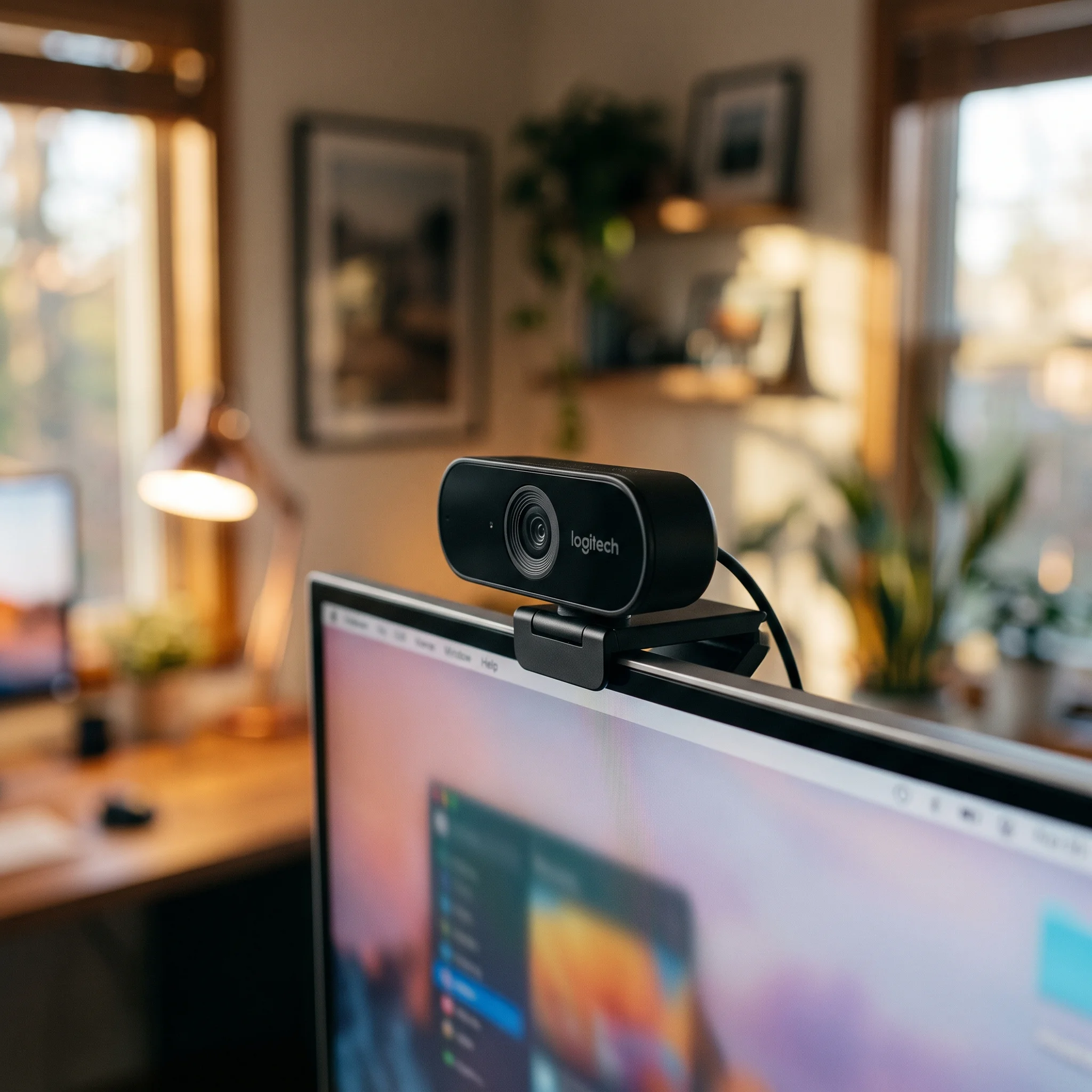
For years, the Logitech C920 series has been the undisputed gold standard of webcams. The Logitech C920x Pro HD Webcam builds upon that legendary legacy, offering crisp 1080p video, dual stereo microphones, and seamless plug-and-play setup without breaking the bank.
In this review, we’ll dive deep into video performance, audio quality, ease of use, and whether the C920x deserves a place on top of your monitor.
⚡ Quick Verdict (At a Glance)
- Product Name: Logitech C920x Pro HD Webcam (includes 3-month XSplit license)
- Video Resolution: Full HD 1080p at 30 fps (also supports 720p at 30 fps)
- Field of View (FOV): 78 degrees (ideal framing for a single person)
- Microphones: Dual integrated stereo mics with automatic noise reduction
- Focus Type: Full HD autofocus
- Compatibility: Windows, macOS, ChromeOS, and major video platforms (Zoom, Teams, Skype, OBS, Twitch)
- Best For: Remote workers, educators, streamers, and anyone upgrading from a low-quality laptop webcam.
👉 Check Latest Price and Availability on Amazon
🌟 Key Features & Why the C920x Stands Out
1. Crisp Full HD 1080p Video Quality
The C920x records and streams in sharp, vibrant 1080p resolution at 30 frames per second. The glass lens captures vivid colors and sharp details, ensuring you look crisp and professional in every video call. Compared to standard 720p laptop webcams, the difference is night and day.
2. Automatic HD Light Correction
Poor lighting is the number one enemy of webcams. Fortunately, the C920x features automatic HD light correction (RightLight 2 technology). It intelligently fine-tunes lighting conditions to produce bright, contrasted images even if you are sitting in a dimly lit room or dealing with harsh backlight from a window behind you.
3. Dual Stereo Microphones for Clear Audio
Sound matters just as much as video. The camera is equipped with two integrated microphones (one on each side of the lens) that capture natural stereo audio from a broader range of angles while filtering out background room hums. While it won’t replace a dedicated studio microphone, it sounds remarkably clear for conference calls out of the box.
4. 78-Degree Field of View (The Sweet Spot)
With a 78-degree diagonal field of view, the camera frames you perfectly from the chest up with a modest amount of background visible. It is wide enough if you want to lean in or show a physical document, but narrow enough to keep the focus entirely on you rather than a messy room behind you.
5. True Plug-and-Play Simplicity
There is no complicated software required to get started. Just plug the attached USB-A cable into an available port on your Windows PC, Mac, or Chromebook, and it works instantly with Zoom, Microsoft Teams, Google Meet, Webex, and OBS Studio.
⚖️ Pros and Cons
✅ Pros:
- Exceptional Value: Professional-grade 1080p video performance at an affordable price point.
- Reliable Autofocus: Keeps your face sharp even if you move closer or further away from the screen.
- Universal Mounting Clip: Sturdy, adjustable clip fits securely on thin laptop screens, thick desktop monitors, or external tripods.
- Privacy-Friendly: Includes a physical privacy shutter / cover in some bundles, or easily attaches to standard tripod mounts.
- Widely Supported: Flawless compatibility across virtually all operating systems and video conferencing apps.
❌ Cons:
- 30 FPS Limit: Capped at 30 frames per second at 1080p (though standard for most office webcams, advanced streamers might prefer 60 fps at 720p).
- Fixed USB Cable: The USB cable is hardwired into the camera, meaning you cannot swap it out for a longer cable without a USB extension cord.
🎯 Who Should Buy the Logitech C920x?
- Remote Workers & Professionals: If your daily routine involves video conferencing on Zoom, Teams, or Google Meet, upgrading to this camera instantly boosts your professional presence.
- Teachers & Online Tutors: Essential for clear presentations and steady eye contact with students.
- Budget Streamers & Content Creators: A fantastic entry-level camera for starting a Twitch channel, YouTube videos, or podcast recordings without spending hundreds of dollars.
❓ Frequently Asked Questions (FAQ)
Q: What is the difference between the Logitech C920 and the C920x?
A: The C920x is essentially the same legendary hardware as the classic C920, but it often includes a bundled 3-month license for XSplit VCam software (which lets you remove or blur backgrounds without a physical green screen).
Q: Does the C920x work with MacBooks and iMacs?
A: Yes, perfectly! It is fully plug-and-play on macOS. Just keep in mind that newer MacBooks feature USB-C ports, so you may need a simple USB-A to USB-C adapter or hub to plug it in.
Q: Does it have a privacy shutter?
A: The C920x design focuses on an open lens mount, but you can easily purchase an inexpensive snap-on privacy cover or use third-party covers if privacy is a primary concern.
🏁 Final Verdict: Is It Worth Buying?
The Logitech C920x Pro HD Webcam remains a timeless classic for a reason. It hits the absolute sweet spot of price, reliability, and stellar video quality. If you are tired of looking blurry and dark on video calls, this webcam is one of the most cost-effective upgrades you can make to your workstation.
👉 Click Here to Check the Current Price on the Logitech C920x Webcam on Amazon!