When you are building a no-compromise PC aimed at both high-refresh-rate gaming and heavy-duty content creation, raw core count and clock speeds matter. Whether you are rendering complex 4K/8K timelines in Premiere Pro, compiling massive codebases, running 3D simulations in Blender, or streaming AAA games simultaneously, an entry-level processor will quickly bottleneck your workflow.
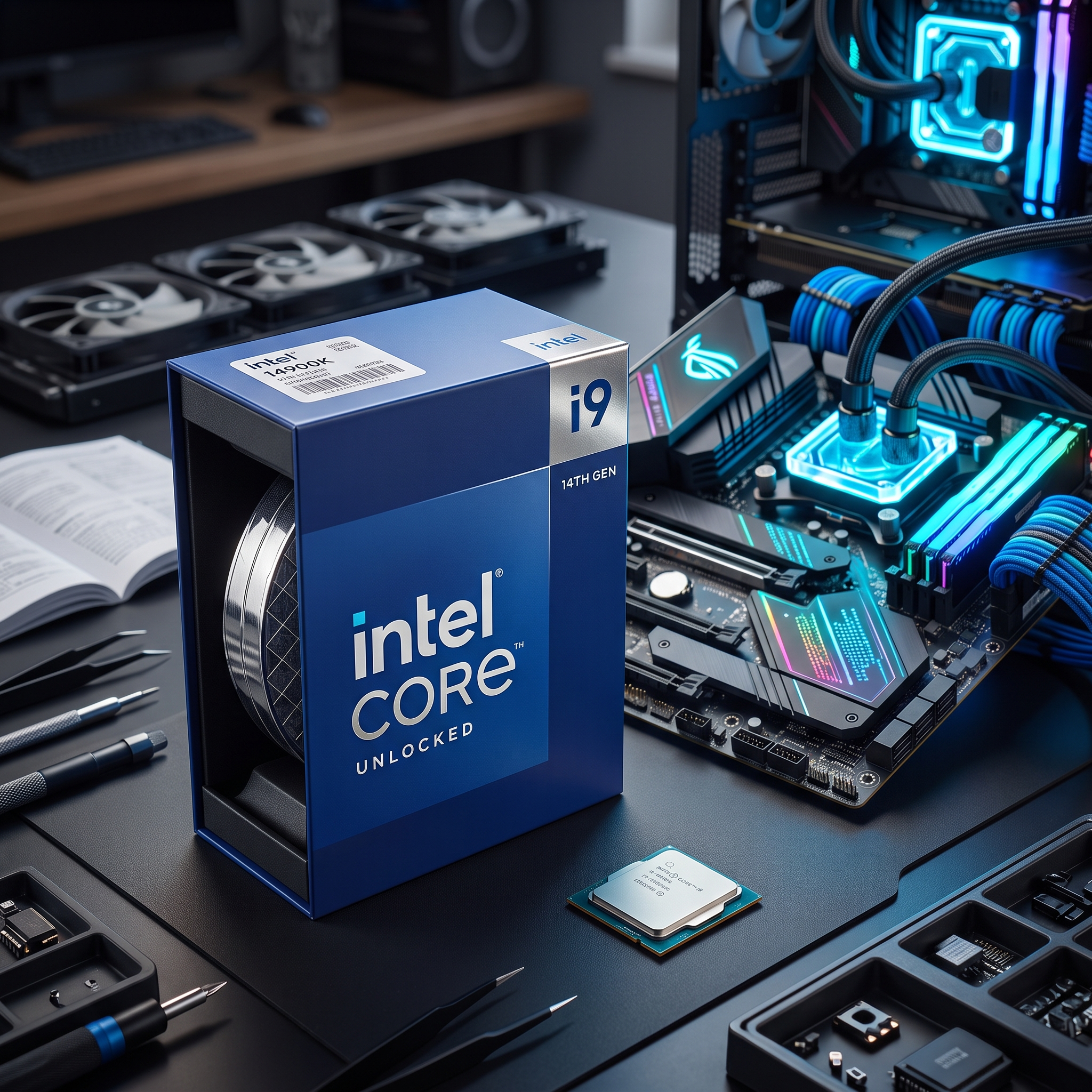
The Intel Core i9-14900K (14th Gen) stands at the very top of Intel’s LGA1700 lineup. Boasting an astonishing 24 cores, 32 threads, and out-of-the-box boost clocks reaching up to 6.0 GHz, this unlocked desktop processor is engineered to crush multi-threaded workloads while delivering elite gaming frame rates.
In this comprehensive review, we’ll break down the real-world performance, hybrid architecture, cooling requirements, pros and cons, and overall value of the Intel Core i9-14900K to help you decide if it is the right powerhouse for your build.
⚡ Quick Verdict (At a Glance)
- Product Name: Intel Core i9-14900K Unlocked Desktop Processor
- Architecture: 14th Gen Raptor Lake Refresh (Performance Hybrid Architecture)
- Cores / Threads: 24 Cores (8 Performance-cores + 16 Efficient-cores) / 32 Threads
- Max Turbo Frequency: Up to 6.0 GHz (with Intel Thermal Velocity Boost)
- Cache: 36 MB Intel Smart Cache + 32 MB L2 Cache
- Integrated Graphics: Intel UHD Graphics 770
- Socket & Compatibility: LGA1700 (Intel 600 and 700 series chipset motherboards)
- Memory Support: Compatible with both DDR5 (up to 5600 MT/s+) and DDR4 RAM
- Best For: Video editors, 3D artists, heavy multitaskers, streamers, and enthusiast gamers upgrading an LGA1700 rig.
👉 Check Latest Price and Availability on Amazon
🚀 Key Features & Why the Intel Core i9-14900K Stands Out
1. Blistering 6.0 GHz Clock Speeds Right Out of the Box
The headline feature of the i9-14900K is its sheer speed. Utilizing Intel Thermal Velocity Boost, the processor can push its Performance-cores (P-cores) up to a staggering 6.0 GHz without requiring manual overclocking. In single-threaded tasks, photo editing apps like Adobe Photoshop, and high-FPS competitive gaming, that raw clock speed translates into snappy, instantaneous responsiveness.
2. 24-Core Hybrid Architecture for Heavy Multitasking
Intel’s performance hybrid architecture combines 8 Performance-cores (P-cores) built for heavy foreground workloads (like gaming and active design software) with 16 Efficient-cores (E-cores) designed to chew through background tasks and multi-threaded rendering. Managed seamlessly by Intel Thread Director, you can game at max settings while recording via OBS, running Discord, and rendering a video in the background without dropping a single frame.
3. Flexible Platform Support (DDR4 & DDR5 on LGA1700)
One of the biggest cost-saving advantages of the i9-14900K is its backward compatibility. It drops directly into Intel 600-series and 700-series (Z690, B660, Z790, B760) motherboards (with an updated BIOS) and supports both high-speed DDR5 and existing DDR4 memory. If you already own an older 12th or 13th Gen Intel PC, you can upgrade to flagship 24-core performance without buying a brand-new motherboard or RAM kit.
4. Built-in Intel UHD Graphics 770 (With Quick Sync)
Unlike “KF” model processors that lack integrated graphics, the standard i9-14900K includes Intel UHD Graphics 770. While gamers will pair this CPU with a dedicated graphics card, having integrated graphics is a massive bonus for video editors. It unlocks Intel Quick Sync Video, which dramatically accelerates H.264 and HEVC video encoding and timeline scrubbing in Adobe Premiere Pro and DaVinci Resolve.
⚖️ Pros and Cons
✅ Pros:
- Elite Multi-Core Productivity: 24 cores and 32 threads tear through 4K video rendering, 3D modeling, and heavy multitasking.
- Massive 6.0 GHz Peak Clocks: Delivers top-tier single-core speeds for responsive gaming and creative apps.
- Intel Quick Sync Support: Integrated UHD 770 graphics significantly speed up professional video editing workflows.
- DDR4 & DDR5 Flexibility: Works with both DDR4 and DDR5 motherboards, offering an easy upgrade path for LGA1700 owners.
- Fully Unlocked for Tuning: Unlocked multiplier allows enthusiasts to fine-tune voltages and clock speeds.
❌ Cons:
- Runs Hot Under Full Load: Pushing 24 cores to 6.0 GHz generates significant heat; a high-end 360mm AIO liquid cooler is strongly recommended.
- No Cooler Included in the Box: Like most flagship unlocked CPUs, you must purchase a CPU cooler separately.
- End-of-Line Socket: LGA1700 has reached the end of its lifecycle, meaning future generations require a new motherboard socket.
🎯 Who Should Buy the Intel Core i9-14900K?
- Content Creators & Video Editors: If you make a living in Premiere Pro, After Effects, Blender, or Unreal Engine, the combination of 24 cores and Intel Quick Sync makes this a productivity powerhouse.
- Existing LGA1700 System Owners: If you are currently running an Intel Core i5-12400, i5-12600K, or i7-12700K, dropping in the i9-14900K is the ultimate drop-in upgrade to maximize your motherboard’s lifespan.
- Hybrid Gamers & Streamers: Enthusiasts who want a single PC that can simultaneously run demanding AAA titles and handle high-bitrate live streaming without breaking a sweat.
❓ Frequently Asked Questions (FAQ)
Q: What is the difference between the Intel Core i9-14900K and i9-14900KF?
A: Performance-wise, both CPUs have the exact same 24 cores and 6.0 GHz boost clock. However, the i9-14900K includes built-in Intel UHD Graphics 770, which is great for troubleshooting display issues and accelerating video editing via Intel Quick Sync. The 14900KF has no integrated graphics and requires a dedicated GPU to display an image.
Q: What kind of CPU cooler do I need for the i9-14900K?
A: Because the i9-14900K can draw up to 253W under heavy all-core workloads, standard budget air coolers are not enough. We highly recommend pairing it with a quality 360mm All-in-One (AIO) liquid cooler and ensuring your PC case has strong airflow.
Q: Do I need to update my motherboard BIOS for the i9-14900K?
A: Yes! Regardless of whether you use a 600-series or 700-series motherboard, it is essential to update your motherboard to the latest BIOS version right away. The latest BIOS updates include official Intel default power profiles and microcode optimizations that ensure long-term stability and lower operating temperatures.
🏁 Final Verdict: Is It Worth Buying?
The Intel Core i9-14900K remains an absolute titan for users who demand both high-fps gaming and workstation-class multi-core muscle in a single chip. Provided you pair it with a capable 360mm liquid cooler and keep your motherboard BIOS up to date, it delivers blistering 6.0 GHz speeds and unmatched versatility for creators and power users alike.
👉 Click Here to Check the Current Price on the Intel Core i9-14900K on Amazon!